How to Pause, Resume or Delete a New Case Alert (and How Billing Works)
How to manage your New Case Alerts on eCourtsIndia: read the alerts list, pause, resume or delete an alert, and understand the ₹20 monthly billing, low-balance pauses and wallet entries.
Quick answer
To pause, resume or delete a new case alert, open New Case Alerts in your eCourtsIndia dashboard and use the Pause, Resume or Delete button on that alert's row. Each alert costs ₹20 a month from your wallet: pausing stops the renewal and costs nothing, resuming within the paid month is free, resuming after it ends charges a fresh month, and deleting does not refund the rest of the month.
Once your first new case alert is running, the questions change. What does each badge on the list mean? Can you stop an alert for a month without losing it? What happens if your wallet runs dry on the renewal date? This guide covers the alerts list, the cases page, the Pause, Resume and Delete buttons, and exactly how the monthly charge works, with a worked timeline and a cost table. If you have not created an alert yet, start with how to set up a new case alert.
On this page (10 sections)
- Watch: Pause, resume or delete a New Case Alert
- What does the New Case Alerts list show?
- How do you see the cases an alert has caught?
- How do you pause, resume or delete an alert?
- How does billing for new case alerts work?
- What happens if your wallet runs low at renewal?
- What does a few months of billing look like?
- How much will your alerts cost in a year?
- Troubleshooting: billing and status questions
- Frequently asked questions
Watch: Pause, resume or delete a New Case Alert
Read the video transcript
Here is how to pause, resume or delete a new case alert on eCourtsIndia, and how the monthly billing works. Open New Case Alerts. Each alert shows its status, its courts, the date it is paid through, and the cases caught. Click Pause to stop the renewal. Nothing is charged, and no new cases are sent while it is paused. Resume within the paid month is free. After it ends, the button reads Resume, rupees 20 a month, and asks you to resume again to confirm. Delete stops the alert for good. The rest of the month is not refunded. If the wallet cannot pay at renewal, the alert pauses for low balance and you get an email. Add credits, and it resumes on its own. Every charge shows in your wallet, under transaction history, as New case alert. So, pausing costs nothing, resume is free within the paid month, delete gives no refund, and a top up restarts a low balance pause. Manage your alerts at eCourtsIndia.com.
What does the New Case Alerts list show?
Each alert is one row with its name, a status badge, a summary of the courts it covers, its paid-through date and a count of cases caught, plus the buttons to manage it.
Log in and click New Case Alerts in the dashboard sidebar. Here is how to read a row, using a made-up alert for “Asha Textiles Pvt Ltd”.
| Part of the row | What you might see | What it means |
|---|---|---|
| Party name | Asha Textiles Pvt Ltd | The name you typed. Click it to open the cases page. |
| Status badge | Active, Paused or Paused: low balance | Whether the alert is running, stopped by you, or stopped because the wallet could not pay. |
| Filter summary | “All courts”, or “High Courts in Delhi, District Courts in Central (Delhi)” | The courts, state and district the alert watches. |
| Payment line | Paid through 19 Dec 2026, Paid month ended …, or Not paid yet | How long the current paid month runs. |
| Cases caught | 2 cases caught | New matching cases found so far. Click to see them. |
| Buttons | Pause or Resume (or Resume · ₹20/month), and Delete | Covered step by step below. |
How do you see the cases an alert has caught?
Click the party name or the “cases caught” link. The cases page lists every match, newest first, and each one opens the full case.
The page is titled with the party name and starts with a line such as “All courts. 2 cases caught, newest first.” Each case shows the party name as the court recorded it, the side and court (for example “Respondent · District Court, Central (Delhi)”), the CNR and the registration date, such as “Registered 17 Nov 2026”. A new alert with no matches yet reads: “No new cases yet. We check every day and let you know when one names this party, by email and on any other alert channels you have turned on.” Use the New case alerts link at the top to go back to the list.
Click a party name to open the case page. If you need to follow that case, enable alerts on it to track it: at the time of writing, tracking is ₹5 per case per 30 days and brings hearings, orders and status changes. The case alerts guide shows how. Lenders and collection teams following many borrowers can see how tracking fits a loan book in tracking Section 138, SARFAESI and DRT cases across a loan book.
How do you pause, resume or delete an alert?
Use the buttons on the alert’s row: Pause stops it, Resume restarts it, and Delete removes it after a confirmation.
Step 1: Open New Case Alerts
Go to ecourtsindia.com/dashboard/new-case-alerts or click New Case Alerts in the sidebar. Find the alert by its party name.
Step 2: Pause an alert
On an Active alert, click Pause. The badge changes to Paused. Pausing stops the monthly renewal and charges nothing, and no new cases are sent to you while the alert is paused. Pausing suits a quiet spell, for example when a deal is on hold and you want to stop watching a counterparty for a few weeks.
Step 3: Resume a paused alert
Click Resume. What happens next depends on the payment line:
- Still inside the paid month (the row says Paid through a future date): Resume is free and the alert is Active again straight away.
- The paid month has ended: the button reads Resume · ₹20/month, because resuming charges a fresh month now. A click that would charge may ask “Resume again to confirm.” Click again to go ahead.
A resumed alert catches up on the cases registered while it was paused, so you do not lose the matches from the gap.
Step 4: Delete an alert you no longer need
Click Delete. A dialog asks “Delete this alert?” and reminds you: “You will stop getting new cases for “Asha Textiles Pvt Ltd”. The rest of this month is not refunded.” Click Delete alert to confirm. If you might want the alert again, pause it instead: a paused alert stays on your list, ready to resume.
How does billing for new case alerts work?
Each alert costs ₹20 (20 credits) a month from your wallet at the time of writing (November 2026): charged when you create it, then renewed monthly while it is on.
- First month: charged the moment you click Create alert. The toast reads “₹20 charged”.
- Renewal: every month while the alert is Active, another ₹20 is taken from the wallet. Paused alerts do not renew.
- What is included: the preview, the daily digests on email, WhatsApp and the app, and the cases page. There is no per-message charge for digests.
- No refunds for part months: pausing or deleting stops future charges but does not refund the rest of a month.
- Where to see it: open Wallet and look at Transaction History. Each charge is listed as “New case alert”.
1 credit = ₹1. Credits you pay for never expire, and you can add them with a plan or as a one-off pack. The wallet, credits and plans guide explains plans, GST invoices and the transaction filters.
What happens if your wallet runs low at renewal?
The alert pauses itself with the badge “Paused: low balance”, you get an email, and it restarts on its own when you add credits.
If the wallet holds less than ₹20 on the renewal date, the row shows “Paused because the wallet could not pay this month. Add credits” and an email titled “Your new case alert is paused” explains that adding credits resumes it automatically. eCourtsIndia retries the charge about every 12 hours, and right away when you add credits. After 30 days without payment it stops retrying, tells you once, and from then on only a manual Resume charges and restarts the alert.
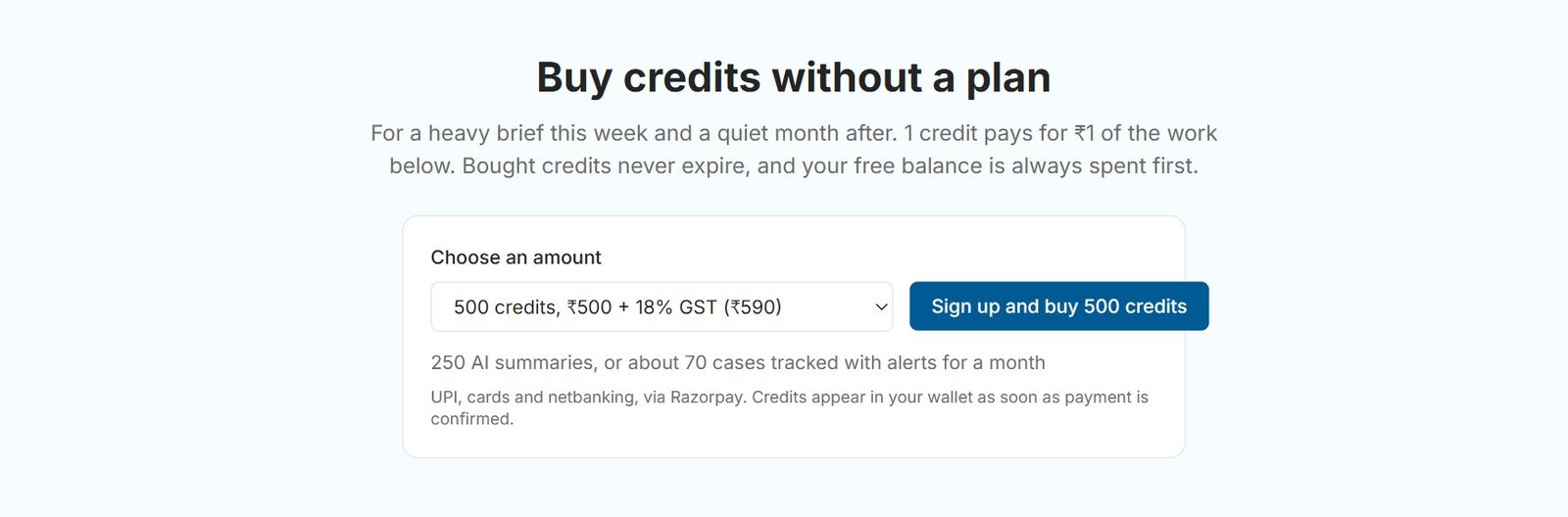
To top up, click Add credits or go to the pricing page. Under Buy credits without a plan, packs start at 50 credits (₹50 + 18% GST). Payment is by UPI, cards and netbanking, via Razorpay.
What does a few months of billing look like?
Here is one made-up alert over three months, showing when ₹20 is charged and when nothing is. Dates and amounts are an example only.
| Date (example) | What happens | Charge | Row shows |
|---|---|---|---|
| 19 Nov 2026 | You create an alert for “Asha Textiles Pvt Ltd”. | ₹20 | Active · Paid through 19 Dec 2026 |
| 1 Dec 2026 | You click Pause. | ₹0 | Paused |
| 8 Dec 2026 | You click Resume, still inside the paid month. Cases registered during the pause are caught up. | ₹0 | Active · Paid through 19 Dec 2026 |
| 19 Dec 2026 | Monthly renewal. | ₹20 | Active · Paid through 19 Jan 2027 |
| 10 Jan 2027 | You click Pause again. | ₹0 | Paused |
| 19 Jan 2027 | The paid month ends. A paused alert does not renew. | ₹0 | Paused · Paid month ended |
| 2 Feb 2027 | You click Resume · ₹20/month, then confirm. | ₹20 | Active, with a fresh paid month |
| Next renewal | The wallet holds only ₹8. | ₹0 | Paused: low balance, plus an email |
| Same day | You add 100 credits. The charge is retried right away. | ₹20 | Active |
Total in this example: ₹80 over four paid months, with no charge for the pauses. Had you deleted the alert on 1 Dec instead of pausing it, you would have paid ₹20 and nothing after, with no refund for the rest of that month.
How much will your alerts cost in a year?
Multiply the number of alerts by ₹20 a month: one alert is ₹240 a year, ten alerts are ₹2,400 a year, at the time of writing.
| Active alerts | Per month | Per year (12 months) |
|---|---|---|
| 1 | ₹20 | ₹240 |
| 5 | ₹100 | ₹1,200 |
| 10 | ₹200 | ₹2,400 |
| 12 | ₹240 | ₹2,880 |
| 25 | ₹500 | ₹6,000 |
| 50 | ₹1,000 | ₹12,000 |
Some ways to plan: the Monthly plan (₹250 + 18% GST, 250 credits a month) covers 12 alerts with ₹10 to spare. The Annual plan (₹10,000 + GST, 20,000 credits up front) covers 50 alerts for a year and leaves 8,000 credits for case tracking and other work. Remember that any case you then track costs ₹5 per case per 30 days on top. To keep the count down, make each alert precise rather than broad: our party name tips show how one well-chosen name and filter can do the job of several loose ones, and the new case alerts use cases show which names are worth an alert at all.
Troubleshooting: billing and status questions
- The button says “Resume · ₹20/month”. The paid month has ended, so resuming starts a fresh month and charges ₹20. If it asks “Resume again to confirm.”, click again.
- The badge says “Paused: low balance”. Add credits. The charge is retried right away and the alert becomes Active. After 30 days unpaid it stops retrying, so click Resume yourself.
- A charge in the wallet you do not recognise. Look for “New case alert” in Transaction History and match its date to an alert’s creation or renewal date on the list.
- You deleted an alert by mistake. To watch the name again, create a new alert with the same name and filters. Its first month is charged when you create it.
- You want different courts or a different district. The row offers Pause, Resume and Delete, so create a new alert with the new filters, then pause or delete the old one.
- No digests while paused. That is expected. Resume, and the alert catches up on the cases registered during the pause.
Managing alerts comes down to three buttons and one rule: pause when you might want it back, delete when you are done, and keep at least ₹20 per active alert in your wallet before each renewal. Open ecourtsindia.com/dashboard/new-case-alerts and check that every alert on your list still earns its ₹20. To see what launched on 19 November 2026 and why, read the New Case Alerts launch post, and for the rest of your account, the eCourtsIndia user guide.
Sources: eCourtsIndia pricing page (new case alert price, plans, credit packs and tracking price, November 2026); the New Case Alerts page and Wallet in the eCourtsIndia dashboard (labels and messages as shown on 19 November 2026).
Frequently asked questions
How do I pause a new case alert on eCourtsIndia?
Open New Case Alerts in your eCourtsIndia dashboard and click Pause on the alert's row. Pausing stops the monthly renewal and charges nothing. No new cases are sent while it is paused, and a resumed alert catches up on the cases registered during the pause.
Is resuming a new case alert free?
Resuming is free if the alert's paid month has not ended yet. If the paid month has ended, the button reads Resume · ₹20/month and resuming charges a fresh month from your wallet at the time of writing (November 2026). A click that would charge may ask you to resume again to confirm.
Do I get a refund if I delete a new case alert?
No. You can delete a new case alert at any time, but the rest of the current month is not refunded. Deleting stops all future charges. If you might need the alert again, pause it instead, which also stops charges but keeps the alert on your list.
How much does a new case alert cost per month?
At the time of writing (November 2026), each new case alert costs ₹20, which is 20 credits, per month from your eCourtsIndia wallet. It is charged when you create the alert and then every month while it is on. The daily digests and the preview are included, with no per-message charge.
What happens to a new case alert if my wallet balance is too low?
At renewal, an alert the wallet cannot pay becomes Paused: low balance and you get an email saying it is paused. eCourtsIndia retries about every 12 hours and right away when you add credits, which resumes it automatically. After 30 days without payment it stops retrying and only a manual Resume restarts it.
Where can I see new case alert charges?
Open Wallet in your eCourtsIndia dashboard and check Transaction History. Each new case alert charge, for the first month and for every renewal, is listed as New case alert. Your alerts list also shows the date each alert is paid through.
Update log: November 2026. eCourtsIndia (ecourtsindia.com) is an independent, non-government platform that mirrors public court records; it is not affiliated with any court or with the government.
Related guides
GuideHow-To Guides
How to Pick the Right Name for a New Case Alert (and Read the Preview)
A new case alert is only as good as its name. Here is how core words are matched, how to read the free preview and the too-broad warning, and how to narrow an alert with courts, state and district.
GuideHow-To Guides
How to Set Up a New Case Alert on eCourtsIndia (Step by Step)
A step-by-step guide to creating a New Case Alert on eCourtsIndia: type a party name, choose courts and filters, read the preview, and get a daily digest of newly registered cases that name them.
UpdateAI & Legal Technology
AI Clerk Update: What Lawyers Can Now Do in One Chat (November 2026)
AI Clerk on eCourtsIndia got its biggest update yet: find a case in a few taps, start tracking from the chat, prepare for hearings, read orders and ask law questions, all in one conversation. Here is what changed, with sample chats and use cases.