Changelog · Currently in Beta · Last verified: 3 September 2026 · Model: eCI-1.2 · Schema: legal-check.v1 · Index floor: 28 crore+ cases across SC, High Courts, district courts, and 18 tribunal families
- 2026-09-03: Initial publish. Report-literacy guide for reading
risk.band,match_band, identity confidence, coverage, limitations, and when not to act on a name hit alone.
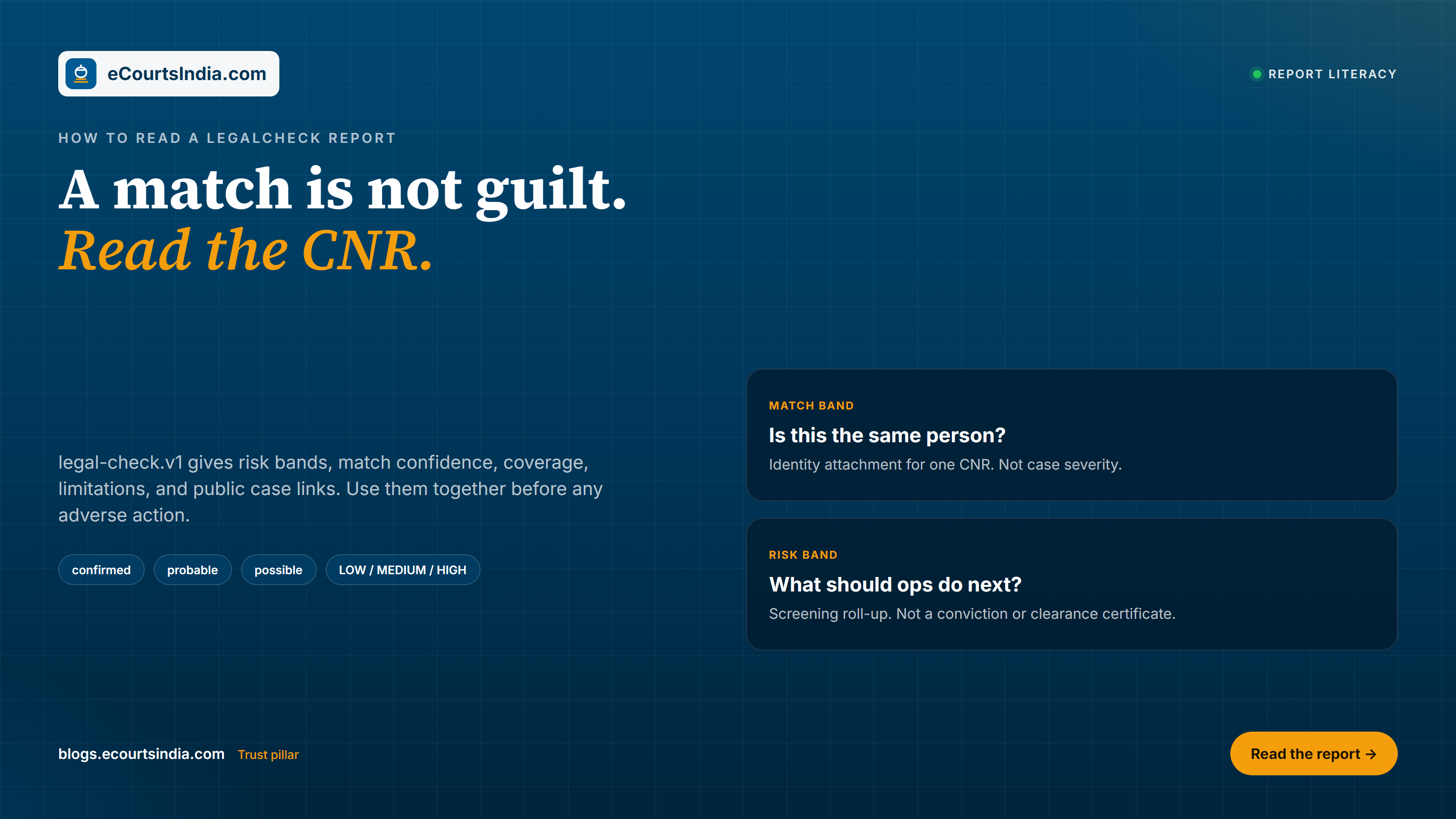
A LegalCheck match is a candidate to investigate, not proof of wrongdoing. Model eCI-1.2 returns a scored legal-check.v1 report over public Indian court records (28 crore+ and growing). The report tells you which matters look like plausible identity matches and what risk band the model assigns. It does not declare guilt, does not replace counsel, and does not authorize automated adverse action. Match confidence is not case risk. Read the whole payload: subject, coverage, matches, bands, summary, limitations, provenance, disclaimer, and the public research URLs on each match.

Key takeaways
risk.band(LOW / MEDIUM / HIGH) is a screening roll-up. It is not a conviction, clearance certificate, or hire/fire signal.match_band(confirmed/probable/possible) andmatch_confidenceanswer “how likely is this the same person or company?” That is separate from per-matchrisk_band.- Common names produce many candidates. Father name, city, year, party role, and case type are disambiguators, not optional fluff.
- Always open the public CNR, order, and true-copy links on eCourtsIndia before you escalate or act.
- Raise
min_scoreto cut noise in automation. Send ambiguous or high-stakes hits to a human. Do not confuse the two moves. - Pipeline thesis: Discovery -> candidates -> identity resolution -> case understanding -> business decision.
Map of a legal-check.v1 report
Fetch the report only after job status is completed (GET /api/partner/legal-check/{code}/report). Early calls return 409 NOT_READY. The partner-safe payload uses schema_version: legal-check.v1. Verified live on 3 September 2026 against model eCI-1.2 (engine 8.0.0). Use these top-level fields together; do not automate off a single band string.
| Field | What it is | How to use it |
|---|---|---|
subject | Echo of what you submitted (individual or company fields) | Confirm you screened the right person or entity before reading matches |
coverage | How wide the screen ran (records, states, courts, SC / HC / district / tribunal counts) | Judge whether “few matches” means clean, or under-searched |
matches[] | Candidate cases with CNR, bands, role/side, court, type, dates, parties, acts, orders, URLs | Work the list; each row is a hypothesis, not a finding of guilt |
risk.band | Report-level LOW / MEDIUM / HIGH | Route the file (auto-clear vs review queue). Never the sole adverse-action trigger |
risk.identity_confidence | 0-100 roll-up of how strongly the subject ties to the attributed set | Low confidence + many matches = ambiguous identity, not “lots of crime” |
summary | Counts: total / confirmed / probable / possible / excluded / pending / serious, records screened, courts covered | First glance before opening individual CNRs |
limitations | Partner-safe caveats (for example orders that could not be processed) | Treat as missing evidence, not as clearance |
provenance | Authoritative source, generator, attribution | Keep in audit packs so reviewers know the substrate |
disclaimer | Public records + probabilistic matching; verify before adverse action | Surface in your UI and decision SOPs |
Research URLs (on each match under urls) | Public eCourtsIndia links for case, orders, true-copy PDFs | Human verification step before escalation |
Each match also carries match_band, match_confidence, per-match risk_band, side / role, court, case type, filing and hearing dates, parties, advocates, judges, acts and sections, order lists, and the public URLs. Compact verbosity returns confirmed matches only; standard and full expand the safely projected lists. Nothing in the partner report exposes private engine inputs.
What LOW, MEDIUM, and HIGH mean (and do not mean)
risk.band is the model’s screening roll-up for this subject under eCI-1.2. It blends how serious the attributed matters look with how confidently they attach to the subject. Read it as an ops routing label.
| Band | What it usually means in practice | What it does not mean |
|---|---|---|
| LOW | Little attributed litigation signal after screening, or only low-severity / weakly attached matters relative to the model | Not a government “clear” certificate. Not proof the person never litigated. Not permission to skip consent or policy |
| MEDIUM | Enough signal to review: mixed severity, mixed confidence, or a moderate cluster that needs a human eye | Not a finding of misconduct. Not automatic decline. Not “half guilty” |
| HIGH | Strong attributed signal that the model treats as elevated litigation exposure for this purpose | Not proof of wrongdoing. Not a conviction. Not authority to terminate, reject, or blacklist without verification and your own process |
Pair risk.band with risk.identity_confidence. A HIGH band with high identity confidence and confirmed, serious, pending matters is a different workflow from a HIGH band driven by a common-name pile with conflicting father names. The band is the start of the conversation, not the end.

match_band vs match_confidence vs risk_band
These three fields answer different questions. Confusing them is the fastest way to create unfair outcomes and support tickets.
match_band(confirmed/probable/possible): bucket for identity attachment strength on that CNR.match_confidence: numeric strength of that identity attachment (0-100 scale on the report).- Per-match
risk_band: how serious that case looks if it belongs to the subject (nature, role, status, recency, court tier, acts). - Report
risk.band: roll-up across the attributed set for routing.
Match confidence is not case risk. A confirmed match on a routine disposed civil suit can be low risk. A possible match on a serious pending criminal matter can be high case risk but weak identity, so you investigate identity first. Never auto-decline solely because match_confidence is high, and never ignore a serious case solely because match_band is possible. Separate “is this them?” from “what does this case mean?”
Why a name hit is only a candidate
Indian court party strings are noisy. Spellings drift. Middle names appear and vanish. Father names are missing on many records. Addresses are free text. So LegalCheck starts wide (discovery), then scores candidates. A shared display name is the beginning of identity resolution, not the end.
Use these disambiguators deliberately when you read matches[] and when you enrich the original submit:
- Father name (or relative name on the record): strongest common corroborator for individuals.
- City / address: geography often separates two people with the same name.
- Year (filing, registration, DOB context): age and filing era cut impossible matches.
- Party role / side: petitioner vs respondent vs accused vs complainant changes both identity story and risk story.
- Case type: cheque bounce, writ, matrimonial, insolvency, and criminal appeals are different worlds; do not treat them as one blob.
Live illustration (3 September 2026): a common-name individual screen with father name and Patna address screened 1,727 records across 18 states and returned 42 matches at default verbosity (24 confirmed under verbosity=compact). That is a screening result. It is not proof that every row is the same human.
How to verify on eCourtsIndia (CNR, order, true-copy)
Every actionable match should be opened in a browser or via the case API before adverse action. Prefer the URLs on the match (urls) when present. Typical verification path:
- Copy the CNR from the match.
- Open the public case page on ecourtsindia.com/search (or the case URL returned in the report) and confirm parties, court, and status.
- Open linked orders. Read the actual order text (or certified true-copy PDF) before you paraphrase what the court did.
- Compare father name, city, year, role, and case type against your subject file. If they diverge, demote or exclude the candidate in your review notes.
- If the snapshot looks stale (old next hearing on a still-pending matter), refresh the CNR through the case API or product UI, then re-read.
Product UI for operators: legalcheck.ecourtsindia.com. Partner integration steps: LegalCheck API cookbook. Broader REST surface: How to use the eCourtsIndia API.
When to raise min_score vs send to a human
Report query params let you shape volume: min_score (0-100, default 40), bands (comma-separated high, medium, low), verbosity, and include=excluded. These are filters on what you see, not magic that makes identity certain.
| Situation | Prefer | Why |
|---|---|---|
| High-volume BGV with common names flooding the queue | Raise min_score (for example 55-70) and/or use verbosity=compact | Cuts weak candidates so ops sees confirmed-first. Label thresholds as starting points, not policy |
| Lending / vendor KYB where missing a real case is costly | Keep default or lower min_score, use standard or full, send MEDIUM+ to humans | You want recall; humans resolve identity |
| HIGH band, low identity confidence, conflicting father/city | Human review first; do not auto-act | Band may be inflated by strangers who share a name |
| Confirmed, serious, pending matter that survives CNR/order check | Human + counsel path per your SOP | Identity and case understanding are done; business decision remains yours |
| Clean LOW with high coverage and empty or trivial matches | Automated clear within your written policy | Still keep disclaimer and audit trail |
Rule of thumb: raise min_score to manage noise. Send to a human when identity is ambiguous, stakes are high, or the order text changes the story. Do not raise the threshold hoping it will invent identity certainty.
Verbosity: compact vs standard vs full
verbosity | What you get | Best for |
|---|---|---|
compact | Confirmed matches only (live common-name example: 24 of 42) | Dashboards, first-pass ops queues, webhook-sized payloads |
standard (default) | Confirmed + probable + possible (and related safe projections) | Analyst review, most integrations |
full | Uncapped safely projected case details and order lists | Deep investigation packs; never exposes private engine inputs |
Start most product UIs on compact for the candidate-facing summary and keep standard/full behind an authenticated analyst view. Pair with bands=high,medium if you only want elevated rows in the review queue.
Three redacted narrative examples
These walkthroughs are illustrative and redacted. They are not live PII and not instructions to auto-decide. Numbers echo patterns we see in beta (including the live common-name screen verified 3 September 2026).
(A) Clean individual
Subject: uncommon full name, father name present, single city, DOB supplied. Coverage: wide (hundreds of courts screened). Summary: 0-2 matches, none serious, identity confidence high. Report band: LOW.
How to read it: Open any remaining CNR anyway. Confirm parties and role. If matches are disposed, low-severity, and clearly another person (wrong father or city), document the exclusion. Within a written BGV policy, this is a candidate for automated clear with disclaimer retained. Do not treat LOW as a government certificate.
(B) Messy common name (many candidates)
Subject: name like “Amit Kumar”, father name and Patna-style address supplied. Coverage: 1,700+ records screened across many states. Summary: dozens of matches (mix of confirmed / probable / possible). Report band: can still land HIGH when many serious-looking rows attach under the model.
How to read it: Do not hire/fire off the band. Sort by match_band then open CNRs. Kill rows with wrong father name, wrong decade, or impossible city. Prefer verbosity=compact for the first pass, then pull standard for leftovers. Raise min_score only after you measure false-positive rate with your counsel. Send the surviving shortlist to a human. This is identity resolution work, not a moral judgment.
(C) Company with NCLT exposure
Subject: company name + CIN (and directors if you have them). Coverage: includes tribunal families. Summary: one or more NCLT / IBC-style matches with company as corporate debtor or related party; band MEDIUM or HIGH depending on status and role.
How to read it: Open each CNR and order. Confirm the exact party string and bench. Distinguish ongoing CIRP / liquidation signals from disposed or peripheral IAs. Directors on the subject blob are partner-supplied context; their presence does not mean the API independently verified MCA filings. For KYB, route to credit/legal review with the true-copy pack attached. Company screens still follow the same rule: match is not proof of wrongdoing, and insolvency process is not the same as fraud.
The decision pipeline (thesis fold-in)
Legal diligence on Indian court data is an identity resolution problem before it is a scoring problem. The useful sequence is:
- Discovery: wide screen over the 28 crore+ index (what LegalCheck runs for you).
- Candidates:
matches[]with bands and confidences. - Identity resolution: father name, city, year, role, case type, and human judgment on the CNR page.
- Case understanding: read orders / true-copies; know what the court actually did.
- Business decision: your policy, your counsel, your adverse-action process.
LegalCheck productises steps 1-2 and labels 3-4. It does not own step 5. For the engineering thesis behind this pipeline, see Building a Legal Due Diligence Engine. For when to use LegalCheck versus raw case search: LegalCheck vs case search API. For BGV / KYB wiring: LegalCheck for BGV and KYB.
If a band felt wrong, tell us
Beta quality depends on real edge cases. If a band, match, or identity confidence felt wrong:
- Send the CNR (and job
codeif you have it), not raw subject PII dumps. - Say what you expected vs what you got (wrong person, wrong severity, missing matter, stale status).
- Include
meta.request_idwhen the issue is API-shaped.
That feedback trains eCI-1.x. Product hub: LegalCheck API. Run a check: legalcheck.ecourtsindia.com.
Disclaimer. Results are based on public court records and probabilistic identity matching. Verify identity and court records before adverse action. A match is not proof of wrongdoing. LegalCheck is not FIR/police verification, not Aadhaar/PAN verification, and not legal advice.
FAQ
Is a LegalCheck match proof that someone did something wrong?
No. A match is a candidate court record that may belong to your subject. Confirm identity, read the order, then apply your own policy. The report disclaimer states results are public records plus probabilistic matching.
What is the difference between match_band and risk.band?
match_band (confirmed / probable / possible) and match_confidence measure identity attachment for one CNR. Per-match risk_band and report risk.band measure litigation signal if the case belongs to the subject. Match confidence is not case risk.
What do LOW, MEDIUM, and HIGH risk bands mean?
They are screening routing labels from model eCI-1.2. LOW usually means little attributed signal; MEDIUM means review; HIGH means elevated attributed exposure. None of them is a conviction, clearance certificate, or automated hire/fire decision.
Why does a common name return dozens of matches?
Indian party strings collide. A live Amit Kumar-style screen on 3 September 2026 screened 1,727 records and returned 42 matches (24 confirmed in compact verbosity). Use father name, city, year, role, and case type to disambiguate, then open CNRs.
When should I raise min_score versus escalate to a human?
Raise min_score (default 40) to cut weak candidates in high-volume queues. Escalate to a human when identity is ambiguous, stakes are high, or order text changes the story. Thresholds are starting points, not policy.
What is the difference between compact, standard, and full verbosity?
compact returns confirmed matches only. standard is the default broader list. full expands safely projected case and order detail volume. It never exposes private engine inputs.
How do I verify a match before adverse action?
Open the CNR and order / true-copy links on eCourtsIndia from the match urls (or search by CNR). Confirm parties, father name, city, year, role, and case type. Refresh stale pending matters if needed. Keep an audit trail.
How do I report a wrong band or bad match?
Send the CNR and job code (plus meta.request_id if relevant) and explain expected vs got. Do not dump full subject PII. Feedback trains eCI-1.x. Start from LegalCheck API or legalcheck.ecourtsindia.com.
Sources and method
- Live partner REST surface under
https://webapi.ecourtsindia.com/api/partner/legal-check, re-verified on 3 September 2026:GET /modelsreturned a single modeleCI-1.2supportingindividualandcompany; a completed job returnedschema_version: legal-check.v1on engine8.0.0. - Coverage language follows the eCourtsIndia evergreen floor: 28 crore+ case records across the Supreme Court, High Courts, district and taluka courts, and the tribunal families listed in the live
courtTypeenum (21 court types on 3 September 2026, of which 18 are tribunal forums). - Product UI: legalcheck.ecourtsindia.com. Interactive docs: ecourtsindia.com/api/docs. Rates: ecourtsindia.com/api/pricing.
- Full partner surface: How to use the eCourtsIndia API.
- Worked numbers come from one live beta job run on the partner API on 3 September 2026 (subject Amit Kumar, Patna):
estimated_seconds90, completed in about two and a half minutes, 1,727 records screened across 18 states and 409 courts, 42 matches atverbosity=standardwithmin_score=40, and 24 confirmed matches atverbosity=compact.
Beta product, living page. Figures above are a dated snapshot of a live API, not a service level commitment. Everything on this page was checked against the running endpoints on 3 September 2026; if the API and this page ever disagree, the docs win and this page is the bug.