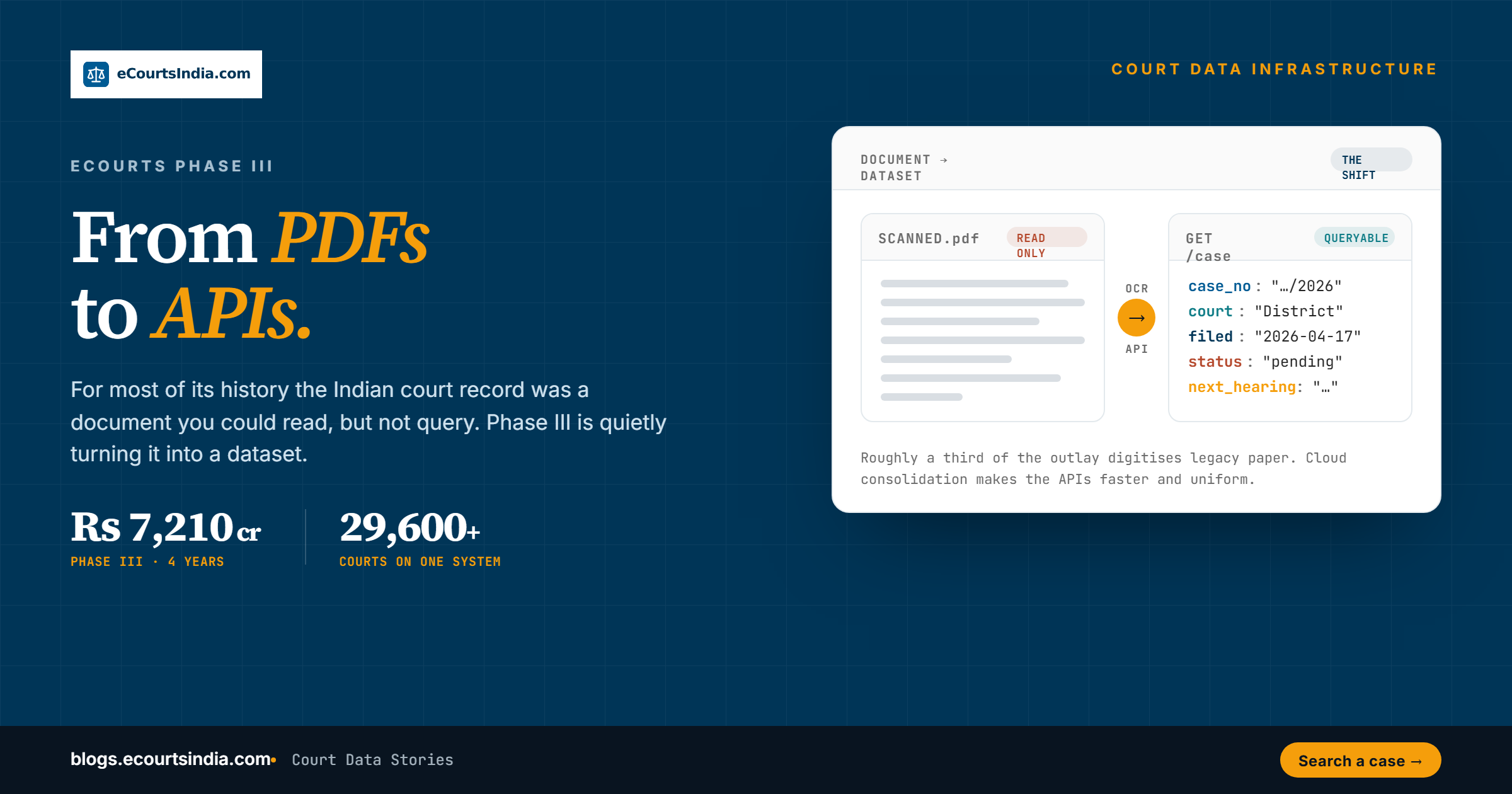
Indian court data is technically public and practically unusable, because almost all of it still lives as scanned PDFs, clunky portal HTML, and inconsistent free text. The work that matters is the pipeline that turns those documents into structured, queryable data behind an API, so that a case becomes a record you can search, monitor, and reason over rather than a file you have to open by hand.
Last updated: 23 September 2026
Ask any junior associate what their morning looks like and you will hear some version of the same story. The information exists. It is sitting on a government portal somewhere. But getting it into a form you can actually use means downloading a cause-list PDF, squinting at an order scan, copying a case number by hand, and repeating that across courts that each format things slightly differently. This post is about the gap between data that is published and data that is usable, and the engineering that closes it. That is the real story of going from PDFs to APIs.

Our own vantage point is the pipeline itself. eCourtsIndia reads from the same public sources anyone can open: the Supreme Court, all 25 High Courts, district and taluka courts in all 36 states and union territories, and 18 tribunal and commission types. The sources give us coverage. They do not give us structure, and closing that distance is most of the engineering. The rest of this piece walks through how that works, stage by stage. If your interest is the budget and policy side rather than the plumbing, our eCourts Phase III breakdown covers where the ₹7,210 crore is going.
How Indian court data actually lives today
Start with what is on the other side of the wall. Indian court data, as published, comes in three awkward shapes.
- Cause-list PDFs. Every court publishes a daily cause list, the schedule of which matters are heard before which bench. These are PDFs, often generated from a template, sometimes scanned. They tell you a case is listed tomorrow, but only if you download the right PDF for the right court and read it yourself.
- Order and judgment PDFs. The actual substance, what the judge decided, lands as an order PDF. Some are clean digital text. Many older ones are scans of signed paper, which means the text is locked inside an image until someone runs optical character recognition over it.
- Portal HTML. Case status, party names, hearing history, and the next date live behind portal pages built for a human clicking through one case at a time. The data is there in the page, but it is wrapped in markup designed for display, not for machines.
None of these formats is wrong for its original purpose. A cause list is meant to be printed and pinned to a notice board. An order is meant to be read. A portal page is meant to answer a single citizen query. FIRs are the same story one step earlier: police stations publish them as PDFs, one at a time, which is why our Crime Reports index of 12 lakh+ FIR PDFs from 13 states and union territories had to be built the same way as the court corpus. The problem appears the moment you want to ask a question across thousands of cases at once, because documents do not answer questions. Records do.

The pipeline: from document to dataset
Turning that pile of documents into a clean, queryable dataset is a multi-stage pipeline. Each stage looks simple in isolation and is surprisingly fiddly at scale, especially when the same field is formatted six different ways across six courts.
- Ingestion. The first job is to pull data continuously from the eCourts services portal and the individual High Court portals. This means fetching case status pages, cause lists, and order documents as they are published, court by court, and storing the raw source exactly as received so nothing is lost.
- OCR where needed. For scanned order PDFs and image-based cause lists, optical character recognition converts the picture of text back into actual text. This is the stage most people underestimate. A faint stamp, a skewed scan, or a handwritten annotation can corrupt a case number, so OCR output has to be validated, not trusted.
- Parsing. Raw text, whether it came from HTML or OCR, has to be broken into fields. The parser pulls out the case number, the parties, the filing and hearing dates, the court and bench, the case type, and the current status. This is pattern work against dozens of slightly different layouts.
- Schema normalisation. A date written as 12-03-2024 in one court and 12/Mar/2024 in another has to become one canonical date field. Across the system this is enforced through 269 case-type codes and 71 status codes, so that a label means the same thing everywhere and you can filter on it reliably.
- CNR-based entity resolution. Every case in the system carries a Case Number Record, a unique 16-character CNR identifier. The CNR is the spine. It lets the pipeline stitch a case-status page, three order PDFs, and a dozen cause-list appearances into one coherent case history, and recognise that two records describe the same matter even when the party names are spelled differently. Some forums never issue a CNR at all. Tribunals such as the NCLT and ITAT keep their own numbering, so we mint a deterministic 16-character CNR for 14 tribunals, as explained in our tribunal CNR spec (you can generate one at ecourtsindia.com/tribunal-cnr). For the anatomy of a court-issued CNR, see CNR Number Decoded.
- One full-text index. Once fields are clean and the case is resolved, the parties, advocates, judges, acts, sections and order text are folded into a single full-text search index. That is what makes search across the corpus fast, instead of forcing you to know exactly which case number you want before you start.
- AI keywords and summaries. The final enrichment layer runs over the cleaned text to generate keywords and plain-language summaries of orders, so a fifteen-page order can be scanned in a sentence and surfaced by topic rather than only by case number.
The output of all this is the difference between a folder of 32 crore+ PDF-shaped things and a database of the same 32 crore+ records you can actually query, with 125 crore+ orders and judgments behind them, and a corpus that keeps growing every day. We described where this sits in the wider ecosystem in our court data stack post, and the fields we extract, and why a status like “disposed” needs care, in Building India’s Legal Data Engine.
What becomes possible once it is an API, not a PDF
Structure is not an academic nicety. The moment court data is a clean record behind an API, and behind an MCP for AI agents, a set of things that were previously manual and slow become instant and programmatic.
- Programmatic search. Instead of opening one portal per court, you query once and search across the corpus by party, by court, by case type, by date range, or by free text across the order and judgment text. The CNR lets you jump straight to a full case history.
- Case monitoring. A law firm or a company with hundreds of live matters can add its cases to a client and switch on alerts, then receive an Email and WhatsApp update when a tracked case is listed, when an order is uploaded, or when the next date changes. Alerts are opt-in, so the cause-list PDF nobody had time to read every morning becomes a notification on your phone. Monitoring covers district courts, High Courts and most tribunals. It is metered simply: tracking costs ₹5 per case per month and each WhatsApp or email alert ₹0.50, with the details on the pricing page.
- Litigation analytics. With status codes normalised and dates clean, you can measure things. How long a case type tends to take in a given court, how a category of matter trends, which stages cause the most delay. Aggregate questions need aggregate data, and that only exists after normalisation.
- Due diligence. Before an investment, an acquisition, or an onboarding, you can check whether a counterparty is carrying litigation, across courts, in seconds rather than weeks. Entity resolution is what makes a name search trustworthy here. We set out the practical steps in our step-by-step legal due diligence workflow.
- AI agents. An agent connected over MCP can fetch a case, read the AI-generated summary of its latest order, check the cause list, and report back, all without a human ever touching a PDF. This is the use case the whole pipeline was quietly building toward.
Developers can work with all of this directly through our eCourtsIndia API, which exposes 23 endpoints and gives ₹200 of free credits on signup, or, for AI applications, the eCourts MCP. The developer quickstart gets a first call running in a few minutes.

What is still genuinely hard
It would be dishonest to present this as solved. A pipeline that converts documents to data inherits every imperfection in the source documents, and a few new ones of its own. Three problems are real and ongoing.
- Coverage gaps. Not every court publishes everything, and not everything that is published is complete. Older records can be thin or missing, some portals lag, and a matter that exists on paper may not yet exist as structured data. The dataset is large and growing, but it is not the whole of every register.
- Regional languages. Orders and cause lists are not all in English. Many are in regional languages and scripts, which makes OCR harder, parsing less reliable, and summarisation a genuine challenge. Getting a clean record out of a vernacular scanned order is meaningfully harder than out of an English digital one.
- Data-entry artefacts. The source data is typed by humans under time pressure. Party names are misspelled, dates are entered in the wrong field, the same advocate appears under three spellings, and case numbers carry stray characters. Normalisation and entity resolution catch a lot of this, but not all of it, and no pipeline can invent a fact that was never recorded correctly in the first place.
These are not reasons to dismiss the approach. They are the reasons the engineering is worth doing carefully, with validation at every stage, rather than treating OCR output or a parsed field as automatically true. The honest position is that structured court data is far more useful than a PDF and still imperfect, and that both halves of that sentence matter.
Why this is the part that matters
The public foundation will keep getting richer, and that is genuinely good news, which we have written about in our eCourts Phase III explainer. But richer documents are still documents. The leap that actually changes what a litigator, a compliance team, or an AI agent can do is the leap from a file you open to a field you query. That leap is not a budget line. It is ingestion, OCR, parsing, normalisation, CNR-based resolution, a unified index, and AI enrichment, run continuously and validated honestly.
If you want to see structured Indian court data in practice rather than as a concept, eCourtsIndia.com is a good place to start. You can search across the district and High Court judiciary, pull a full case history by CNR, and read AI summaries of orders. Developers can build on the eCourtsIndia API or use the eCourts MCP for direct AI agent integration.
Related reading
- Inside eCourts: How India Digitised 18,000+ Courts
- Mapping India’s Court Data Stack
- Three Legaltech Whitespace Plays for 2026-27
- The $793 Million Question
Sources
- National Judicial Data Grid public dashboard, njdg.ecourts.gov.in
- eCourts Services Portal, ecourts.gov.in
- eCourtsIndia.com coverage and schema documentation, September 2026
Frequently Asked Questions
Why is Indian court data so hard to use if it is already public?

Because public does not mean structured. Most court data is published as cause-list PDFs, scanned order PDFs, and portal HTML built for one citizen query at a time. The information is there, but it is shaped for reading and printing, not for searching across thousands of cases. Turning it into queryable records is the real work. See it in practice at eCourtsIndia.
What does the PDF-to-API pipeline actually do?
It ingests data from the eCourts and High Court portals, runs OCR over scanned documents, parses out case numbers, parties and dates, normalises everything using 269 case-type codes and 71 status codes, resolves records by CNR, folds them into one full-text index, and adds AI keywords and summaries. The result is 32 crore+ queryable case records instead of loose documents. Developers can use the eCourtsIndia API.
What is a CNR and why does it matter?
The CNR, or Case Number Record, is a unique 16-character identifier carried by every court case. It is the spine of entity resolution: it lets the pipeline stitch a status page, several order PDFs and many cause-list appearances into one history. Tribunals that issue no CNR get one minted by eCourtsIndia for 14 forums. Look up any case by CNR at eCourtsIndia.
What can you do with court data as an API that you cannot do with a PDF?
Once it is an API, and an MCP for AI agents, you get programmatic search across every court tier, case monitoring with WhatsApp and email alerts across district courts, High Courts and most tribunals, litigation analytics, fast counterparty due diligence, and AI agents that read cases and summaries without opening a PDF. Connect an agent through the eCourts MCP.
What is still hard about structuring Indian court data?

Three things. Coverage gaps, because not every court publishes everything and older records can be thin. Regional languages, which make OCR, parsing and summarisation harder than for English digital text. And data-entry artefacts, such as misspelled names, dates in the wrong field, and stray characters in case numbers. Normalisation catches a lot, but no pipeline can invent a fact that was never recorded. Explore coverage at eCourtsIndia.
How much does it cost to track a case through eCourtsIndia?
Search, cause lists and directories are free. Tracking a case costs ₹5 per case per month, and each WhatsApp or email alert costs ₹0.50. AI Clerk plans start with a free tier of 50 credits a month, and credits never expire. Developers get ₹200 of free API credits on signup. Full details are on the eCourtsIndia pricing page.