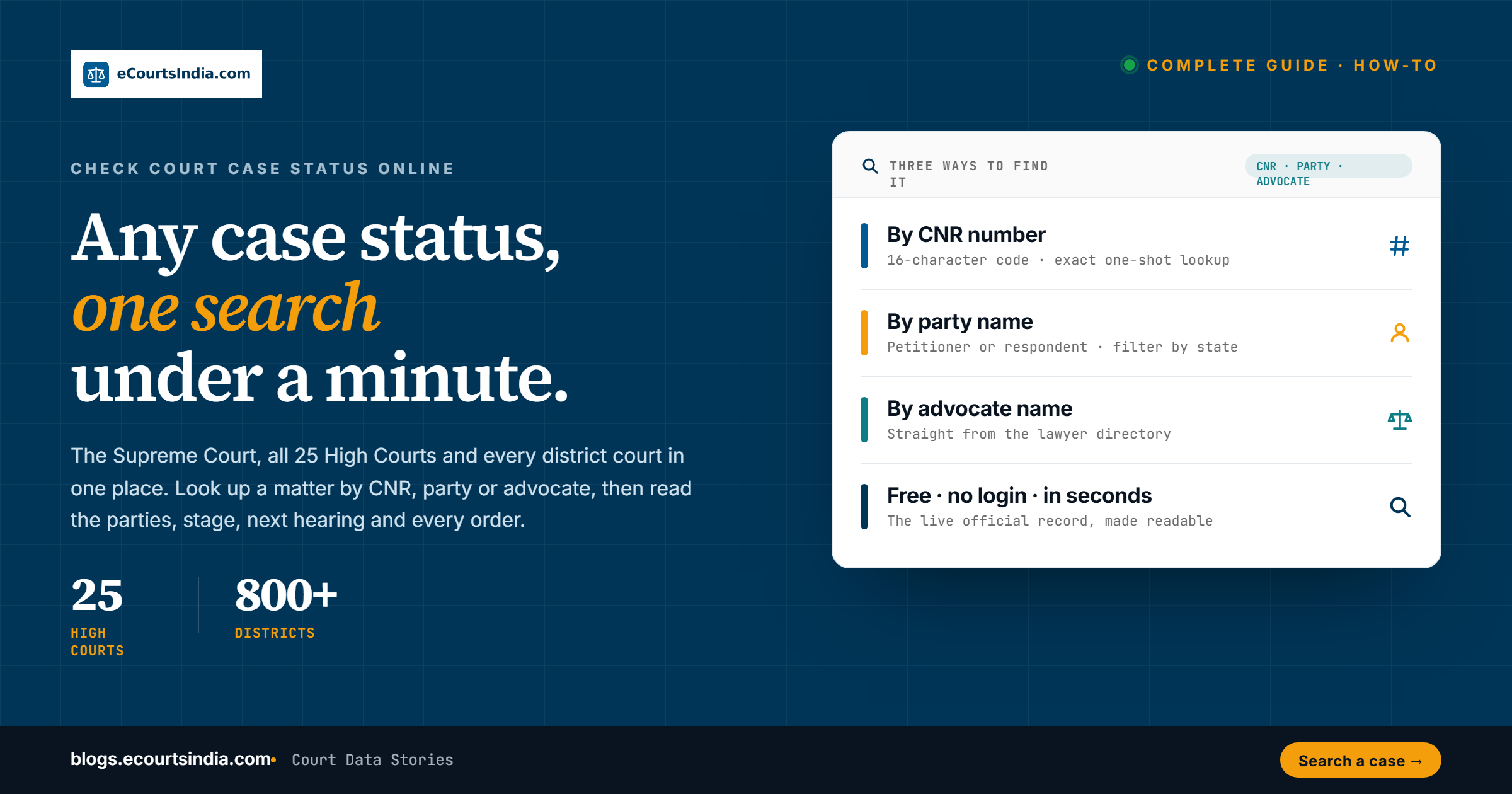
To check a court case status online in India, enter its 16-character CNR on the official eCourts Services portal or app, or SMS ECOURTS, a space and the CNR to 9766899899. No CNR? Search by party name, case number or advocate. eCourtsIndia.com also searches the Supreme Court, all 25 High Courts, district courts and 18 tribunal and commission types, free.
eCourtsIndia is a private platform, not the Government’s eCourts portal (ecourts.gov.in).
Last updated: 28 September 2026. Coverage figures, official routes, alert rules and prices re-checked on this date.

Key takeaways
- The fastest route is the 16-character CNR number: enter it on the official eCourts Services portal or app, or on ecourtsindia.com/search (free, no login).
- No CNR? Search by party name, advocate name or case number, then narrow by state, court and year.
- The case page shows the current stage, next hearing date, hearing history, every uploaded order, the judge and the parties with their advocates.
- Tracking costs ₹5 per case per month, and each WhatsApp or email alert ₹0.50 (as of September 2026). Alerts go out when there is a new order, hearing date, interlocutory application (IA), transfer or disposal.
- Check on the go with the Android and iOS apps or the Chrome extension, and report a case you cannot find through Add a Missing Case.
How do I check my court case status online?
You can use the Government’s free eCourts services or a private search such as eCourtsIndia. Every route below lets you look up a case without paying. Use whichever suits you.
| Route | What you need | Courts covered | Cost |
|---|---|---|---|
| eCourts Services portal (services.ecourts.gov.in) | CNR, or case number, party name, advocate, filing number or FIR number, plus a captcha | High Courts and district courts | Free |
| eCourts Services app (Android and iOS) | CNR or case details | High Courts and district courts | Free |
| Return SMS to 9766899899 | Send ECOURTS, a space and the CNR | Cases with a CNR on the eCourts system | Your normal SMS charge may apply |
| Supreme Court case status search (sci.gov.in) | Diary number, case number, CNR, AOR code, party name or court | Supreme Court | Free |
| Each High Court’s own website | Case details (options vary by court) | That High Court | Free |
| eSewa Kendra at a court complex | Your case details | Help with case information and e-filing | Walk-in help desk |
| eCourtsIndia (private platform) | CNR, name, case number or advocate | Supreme Court, 25 High Courts, district courts, 18 tribunal and commission types | Free search. Alerts paid |
The National Judicial Data Grid (NJDG) shows pendency statistics for courts, not the status of an individual case. No internet? Many court complexes have an eSewa Kendra, a help desk set up under the eCourts project, where staff can help with case information and e-filing.
What do you need to check a case status?
You need only one of the following. They are listed in order of speed and accuracy, so start at the top and work down only if you have to.
- CNR number. The 16-character Case Number Record that the court’s case system gives each district court and High Court case when it is filed. It stays with the case in that court, and an appeal gets its own CNR. It is usually printed on orders and notices, and your advocate will have it. Our CNR Number Decoded guide explains what each part means.
- Party name. Your name or the other side’s. It works across all the courts covered; narrow it by state or court when the name is common.
- Case number. The number the court gave the case, such as a suit or writ petition number. Type it into the search bar and it is matched against filing and registration numbers.
- Advocate name. Useful when you know which lawyer is handling the matter but little else.
How to find your CNR number
Check any summons, notice or order from the court, where it is usually printed, or ask your advocate. If you have neither, find the case by party name (see below) and note the CNR shown on the case page. A CNR has 16 letters and digits with no spaces or hyphens. The official portal’s own example is MHAU019999992015.
How to check case status by CNR number on eCourtsIndia
- Open ecourtsindia.com/search.
- Type the 16-character CNR into the search bar, with no spaces or hyphens. A Saket (Delhi) district court CNR, for example, starts with
DLST01, and a Supreme Court CNR on eCourtsIndia starts withSCIN01. - Press Enter. You get one exact result.
- Open the case to read the parties, advocates, current stage, next hearing date, past orders and the presiding judge. You can also go straight to ecourtsindia.com/cnr/ followed by the CNR.

How to check case status without a CNR number
Most first-time litigants do not know their CNR, and that is fine. There are three dependable ways around it.
By your name. On the search page, click Advanced field-specific search. If you filed the case, put your name in the Petitioner field; if someone filed against you, use the Respondent field. Not sure which side you are on? Use the main search bar, which searches both. A few tips from litigants who have done this: start with your surname for broader results, add the other party’s name or the court location if your name is common, and try alternative spellings, because courts often record names differently from how you write them. The litigant search guide covers the name route in depth. Being named in a court record does not mean a person did anything wrong.
By case number. If you know the number, for example a civil suit number or “WP(C) 1234/2023”, type it into the search bar and filter by court. Our guide to case type codes such as WP(C) and CS explains what the letters mean.
By advocate. If you remember your lawyer’s name, open the lawyer directory; their profile lists the cases on record and links to each one. If you still need a lawyer, the verified advocate directory lists bar-card verified advocates you can contact directly, and our guide on checking a lawyer’s track record helps you choose.

For every filter and URL shortcut the search supports, see the eCourtsIndia Search Guide.

What does the case status page show?
A well-populated case page gives you almost everything a physical case file would, without the trip to court:
- Case title and CNR, so you can confirm you are on the right matter.
- Parties and advocates on both sides, which also lets you confirm your lawyer is properly on record.
- Current status and stage, drawn from 71 status values, so the label you see is the one in the court record.
- Next hearing date, the question most litigants ask first, shown clearly at the top.
- Hearing history: every date from the first hearing to the most recent, which shows how often the matter has been adjourned.
- Orders and judgments to read in full or download. An AI summary that explains an order in plain language costs ₹2 per order (as of September 2026). AI summaries can contain errors, so use one as a starting point and read the order itself. See downloading court orders and judgments if the orders are all you need.
- The judge, linked to the judge directory so you can see the other cases on record for that judge.
- Filing details for High Court and district court cases: the e-filing number and date, filing type, litigant type, any case-type conversion and a structured list of all parties and interlocutory applications.

What does my case status mean?
Court status labels can be confusing if you are not a lawyer. These are the ones litigants see most often, in plain language. The full list of 71 is decoded in our Case Status Dictionary.
| Status | What it means for you |
|---|---|
| Pending | The case is active and waiting for the next hearing or order |
| Admitted | The court has accepted the case for a full hearing on its merits |
| Part Heard | Arguments have started but are not finished |
| Reserved | Arguments are over and the court has reserved its judgment or order, to be pronounced on a later date |
| Disposed | The case is over and a final order has been passed |
| Dismissed | The court rejected the case. Read the order for the reason. If it was dismissed for default because no one appeared, it can often be restored on application if there was sufficient cause, so speak to your advocate quickly |
| Allowed | The petition or appeal succeeded |
| Withdrawn | The person who filed the case took it back |
| Compromise | The parties settled |
| Transferred | The case has moved to a different court or judge |
If your case says Disposed or Dismissed and your lawyer never mentioned a judgment, treat that as a red flag. Open the orders section and read what actually happened.
How to check Supreme Court, High Court, district court and tribunal cases
The same eCourtsIndia search works for every level. The official route for each tier is in the table above.
Supreme Court
Supreme Court cases carry a normal 16-character CNR beginning with SCIN01 on eCourtsIndia, so you can paste it, or search by party name and filter to the Supreme Court. The Hon’ble Supreme Court also runs its own free case-status search on sci.gov.in, by diary number, case number, CNR, AOR code, party name or court. Our Supreme Court case status guide also explains diary numbers.
High Courts
All 25 High Courts are covered with their benches, from the Allahabad High Court, the largest by sanctioned strength with 160 judge posts (Department of Justice, 1 May 2026), to the smaller High Courts of Manipur, Meghalaya and Tripura. Each High Court also publishes case status on its own website, and the High Court status guide lists them all.
District courts
District and taluka court cases in all 36 states and Union Territories that publish on the eCourts network use the same search. Pick the state and district filter, or paste the CNR. For a worked example, see our Delhi district courts guide. If your matter is before a magistrate in a metro city, our guide to Chief Metropolitan Magistrate courts covers those courts.
Tribunals and commissions
Tribunal matters sit in the same index: 44 lakh+ records across 18 tribunal and commission types, including the NCLT, DRT, ITAT, NGT, CAT, GSTAT and the consumer commissions. Where a tribunal does not issue a CNR, eCourtsIndia can assign the case its own 16-character CNR-style ID (for 14 tribunals as of September 2026, including the NCLT, ITAT, DRT and consumer commissions). It is an eCourtsIndia identifier, not one issued by the tribunal, but it lets you track the case like any other; the tribunal CNR explainer shows how. Each tribunal has its own guide:
- NCLT and NCLAT case status (company law and insolvency)
- ITAT and CESTAT case status (income tax, customs and excise appeals)
- DRT and DRAT case status (debt recovery)
- consumer court case status (district, state and national commissions)
- GSTAT case status (GST appeals)
- NGT case status (environment)
- AFT case status (armed forces)
- RCT case status (railway claims)
- CAT case status (service matters)
- SAT case status (securities appeals)
- TDSAT and APTEL case status (telecom and electricity appeals)
- CCI, SEBI and GST AAAR orders
If you want the bigger picture of how these systems fit together, read what the eCourts system is.
How do I confirm my hearing on the cause list?
The next hearing date on the case page tells you when the case is due. The cause list tells you whether it is actually listed that day, at what serial number and in which courtroom. Open ecourtsindia.com/causelist, pick your state, district and court complex, and search by name or case number. Our guide on how to read an Indian court cause list explains every column, and if the judge is on leave, the judge on leave guide explains what happens to your date.
How do I get alerts before my hearing?
Checking by hand works only if you remember to do it. The better habit is to let the case come to you. On any case page, open the Case Alerts panel, click Enable alerts and map the case to yourself or a client. From then on you get a WhatsApp message and an email when a new order or judgment is uploaded, a new hearing date is listed, an interlocutory application is filed, or the case is transferred or disposed.
About 5.6 crore cases were pending across India’s district courts, High Courts and the Supreme Court in March 2026 (Lok Sabha reply, Department of Justice), so hearing dates move often. An alert tells you when the court record shows a new hearing date.
Tracking runs through AI Clerk and is priced per use: ₹5 per case per month, plus ₹0.50 for each WhatsApp or email alert (as of September 2026). The Free plan gives you 50 credits every month, and paid plans start at ₹250 + 18% GST a month (as of September 2026). Unused credits carry forward and do not expire. Current rates are on the pricing page. The step-by-step setup, with a video, is in how to enable case alerts for any court case in India.
Are you an advocate? You can track many cases on a lawyer dashboard.
Can I check case status on my phone?
You do not have to open a laptop to keep up with a case. The Government’s eCourts Services app is free on Android and iOS. The eCourtsIndia apps for Android and iOS (listed as “eCourts India” in the stores) let you search and follow your cases on your phone. They are not the Government’s “eCourts Services” app. On a computer, the eCourtsIndia Chrome extension puts your matters in the toolbar: it shows which of your cases are listed and when, with the cause-list serial number and court, flags new case updates with a badge, and lets you search from the popup. It connects to your free eCourtsIndia account and cannot read the pages you browse.

If you would rather have the most recent order explained in everyday words, our piece on tracking a case in plain English with AI shows how litigants use the AI summary alongside alerts.
What if I cannot find my case?
No results does not mean no case. Work through this checklist:
- Spelling. Try other spellings of the name. Courts often record names differently, with or without initials.
- Filters. Clear any court or state filter; you may be looking in the wrong place.
- A very recent filing. A case filed in the last few days may not be indexed yet. Allow a few days and try again.
- A different name on the case. In family matters the case may be filed with your spouse as petitioner; in company matters, under the company’s registered name.
- Not in court yet. If a criminal matter is still at the police stage, look for the FIR in Crime Reports, which holds 12 lakh+ FIR PDFs collected from 13 states and Union Territories. It is a collection, not every FIR registered by the police. Our FIR status guide explains that route.
- Still missing. Submit its CNR through Add a Missing Case and eCourtsIndia will try to fetch it.
Once you have found it, save the CNR somewhere safe. With the CNR, the next check takes about five seconds.
Is eCourtsIndia the official eCourts website?
No. eCourtsIndia is a private legal-technology platform, not the Government’s eCourts portal. It is not affiliated with the Government of India, the Supreme Court of India or its e-Committee, or any court. It organises public case data published on the official eCourts Services portals (run by the e-Committee of the Supreme Court of India and hosted by NIC), the Supreme Court website, High Court portals and tribunal websites.
A case page reflects the court record as published. Nobody can pay to add, hide or reorder a case. Requests to de-index or anonymise a record are reviewed under the published policy at ecourtsindia.com/faqs. A case page is information for research and tracking, not a certified copy: for evidence in court you still need a certified copy issued by the court itself.

Check your case status right now
Searching is free and needs no login. Open ecourtsindia.com/search, enter a CNR, a name or a case number, and pull up the case status in seconds. If you are hunting for a matter rather than checking one you know, our step-by-step guide on how to search court cases shows every shortcut.

This article is general information, not legal advice. For case-specific questions, consult a qualified advocate. Spotted an error? Email support@ecourtsindia.com.
Frequently asked questions
How do I check my court case status online for free?
Enter your 16-character CNR number on the official eCourts Services portal (services.ecourts.gov.in) or app, or at ecourtsindia.com/search. Searching is free on both, and eCourtsIndia needs no login. You can also SMS ECOURTS, a space and your CNR to 9766899899. The case page shows the parties, current stage, next hearing date and uploaded orders. No CNR? Search by party name, case number or advocate.
What is a CNR number and where do I find it?
CNR stands for Case Number Record. It is a 16-character code that the court’s case system gives a district court or High Court case when it is filed. The official portal’s example is MHAU019999992015. It stays with the case in that court, and an appeal gets its own CNR. It is usually printed on orders and notices, and your advocate will have it.
What if I do not know my CNR number?
Search by name. On ecourtsindia.com/search, open Advanced field-specific search and put your name in the Petitioner field if you filed the case, or the Respondent field if it was filed against you. Then narrow by state, court and year. You can also type the case number, such as WP(C) 1234/2023, or look up your advocate. The litigant search guide walks through it.
Is eCourtsIndia the official eCourts website?
No. eCourtsIndia is a private legal-technology platform. It is not affiliated with the Government of India, the Supreme Court of India or its e-Committee, or any court. The official portal is ecourts.gov.in and the official app is eCourts Services. eCourtsIndia organises public court data into one search. For evidence in court, you still need a certified copy issued by the court.
Which courts can I check on eCourtsIndia?
The Supreme Court, all 25 High Courts and their benches, district and taluka courts in all 36 states and Union Territories that publish on the eCourts network, and 18 tribunal and commission types, including the NCLT, DRT, ITAT, NGT, CAT, GSTAT and consumer commissions. That is 32 crore+ case records (September 2026) in one search at ecourtsindia.com/search.
How do I get alerts before my hearings?
Open your case on eCourtsIndia, click Enable alerts in the Case Alerts panel and map the case to yourself or a client. You then get a WhatsApp message and an email when a new order, hearing date or interlocutory application appears, or when the case is transferred or disposed. As of September 2026, tracking costs ₹5 per case per month and each WhatsApp or email alert ₹0.50. See the case alerts guide.
Can I check my case status on my phone?
Yes. The Government’s eCourts Services app is free on Android and iOS. The eCourtsIndia apps, listed as eCourts India in the stores, also let you search and follow cases, and the site works in any mobile browser. On a computer, the eCourtsIndia Chrome extension shows your upcoming listings with the cause-list serial and court, and badges new case updates. Install it from the Chrome Web Store.
What should I do if my case does not show up?
Try other spellings of the name, clear any court or state filter, and allow a few days if the case was filed very recently. In family or company matters, the case may be under another party’s name. If it is still missing, submit its CNR through Add a Missing Case and eCourtsIndia will try to fetch it. If the matter is still at the FIR stage, try Crime Reports, a collection of FIR PDFs from 13 states and Union Territories.
Sources and method
- eCourts Services portal: case status by CNR, case number, party name, advocate, filing or FIR number. Checked 28 September 2026.
- e-Committee, Supreme Court of India: eCourts home page (return SMS to 9766899899, eCourts Services app). Checked 28 September 2026.
- Supreme Court of India: case status by diary number, case number, CNR, AOR code, party name or court. Checked 28 September 2026.
- PIB: eCourts case-information channels, SMS, portal and eSewa Kendras (8 August 2024). Checked 28 September 2026.
- Department of Justice: Lok Sabha replies, including pendency of cases in courts (March 2026). Checked 28 September 2026.
- Department of Justice: sanctioned and working strength of Supreme Court and High Court judges (as on 1 May 2026). Checked 28 September 2026.
- e-Committee: National Judicial Data Grid. Checked 28 September 2026.
- Code of Civil Procedure, 1908, Order IX Rule 9 (setting aside a dismissal for default), on IndiaCode by eCourtsIndia. Checked 28 September 2026.
- eCourtsIndia: pricing (plans, tracking and alert prices), case search and the eCourtsIndia FAQ. Checked 28 September 2026.
- Method: coverage and status counts were verified against the eCourtsIndia data platform and the eCourtsIndia MCP server in September 2026, and prices against the pricing page on 28 September 2026: 32 crore+ case records and 71 case-status values. These figures grow as new data is indexed.